
One clinic. One connected record.

Tuno preserves context across all workflows

Tuno connects the patient’s arrival, clinical care, payment, stock use, follow-up, and management review. Each team sees the next job in context without rebuilding the story.

Tuno front desk
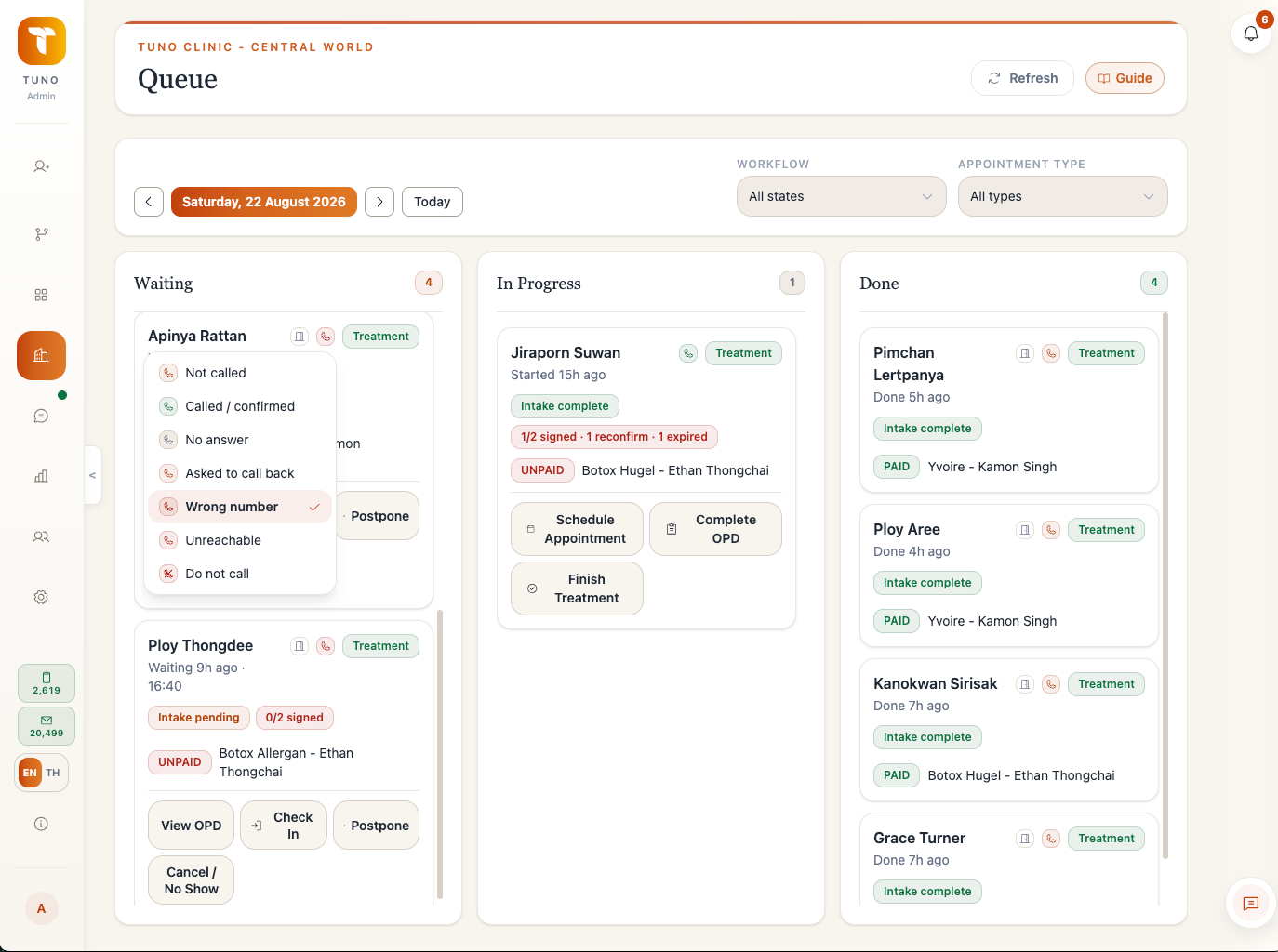
Tuno front desk workspace for appointments, queue, and room flow
Front desk teams keep appointments, queue position, and room flow in one operational view.

FRONT DESK + CARE

From arrival to care, context moves with the patient.

Appointments, queues, rooms, forms, consent, and clinical records stay connected to the same patient and branch context.

Front desk and schedule

Manage appointments, queue position, rooms, staff schedules, intake, consent, recall, earlier slots, and room board state.

  • Appointments and live queue
  • Provider and staff schedules
  • Recall and earlier slots
  • Room and service status

OPD and patient evidence

Keep treatment notes, clinical media, versioned consent, and reviewed intake connected while public links remain narrowly scoped.

  • Medical records and clinical media
  • Versioned consent context
  • Reviewable intake submissions
  • Related documents and corrections
Calendar and daily flow
Tuno Calendar View showing a clinic day schedule, appointment statuses, and provider filters
Appointments, provider availability, intake status, and patient flow remain visible in the same daily schedule.

BILLING + STOCK

Money, entitlement, and stock share their source.

A payment is not only a status. Tuno keeps the events and allocations that connect billing to courses, commissions, treatment use, and inventory.

Billing, courses, and compensation

Invoice, collect, allocate, refund, review course balances, and calculate compensation from connected operational facts.

  • Multiple payment methods and payment links
  • Line-level refunds and allocations
  • Course entitlement and use
  • Traceable commissions and review cases

Inventory lifecycle

Follow products from purchasing and receipt through lot transfer, treatment use, opened remainders, correction, and disposal.

  • SKUs, lots, and expiry
  • Purchase orders and supplier invoices
  • Branch transfers and receipt
  • Opened packages, remainders, and disposal
Connected billing
Tuno Billing workspace showing invoices, payments, and appointment status
The commercial record stays connected to the appointment and the operational work it funds.

FOLLOW-UP + CONTROL

Keep the next action visible and its boundaries intact.

Follow-up, reporting, permissions, audit, and Ask Tuno work from server-confirmed clinic and branch scope.

LINE and follow-up

Connect conversations to the responsible branch and patient context, then support recall, campaigns, promotions, and follow-up work.

  • LINE inbox and assignment
  • Patient and appointment context
  • Recall, promotions, and campaigns
  • Branch plan and messaging quotas

Reports, access, and Ask Tuno

Use branch-scoped reports while role, title, individual permissions, and Ask Tuno keep each person inside the work they can access.

  • Finance, patient, stock, and operations reports
  • Role, title, and individual permissions
  • Audit and support access
  • Lookup, synthesis, and prepared work by tier
LINE patient context
Tuno LINE Inbox showing branch-owned conversations, assignment filters, unread counts, and linked patient actions
Conversations stay with the responsible branch and patient context so follow-up starts from the same record.

Bring the difficult workflow

A useful feature demo continues past the happy path.

Bring a refund, opened vial, access change, or record correction. We will walk through what Tuno keeps and who owns the next action.